Announcements · 5 min read · 10 June 2026
Digital Pregnancy Announcement Ideas for Family & Social
Thoughtful ways to share the news on WhatsApp, Instagram, and email — with timing, privacy, and template tips that keep the moment tender.
A digital pregnancy announcement lets you control the order of telling — close family first, wider circles later — without waiting on printed cards. Soft designs travel beautifully through WhatsApp, iMessage, email, and Instagram, and they give distant relatives a keepsake screenshot they can revisit. That control is part of the tenderness of the moment.
The best announcements feel personal and calm. They share enough joy to celebrate together, and just little enough detail to protect your privacy. You can always share more later; you cannot un-share a post that felt too public the morning after.
Before you open Canva, write one honest sentence that sounds like you. It might be playful, spiritual, quiet, or straightforward. That sentence becomes the heart of the card, and everything else is supporting information.
Decide who hears first
Before designing anything, choose your sequence. Many parents call or visit immediate family, then send a digital card to extended relatives, then post socially if they wish. A beautiful template cannot fix a relative finding out from Instagram first — planning the order is part of the kindness. If someone important cannot receive a live call, send them the digital card privately before any group chat goes out.
Consider time zones carefully for family living abroad. A joyful reveal lands better mid-morning their time than as a midnight notification. A short personal note with the image — even two lines — makes a template feel handmade.
What to include (and what to skip)
- Parents’ names or family name
- A short warm line of news
- Due month or season (optional)
- A photo only if you truly want one public
- Skip detailed medical history and exact home addresses
- Skip workplace specifics unless you are ready for those questions
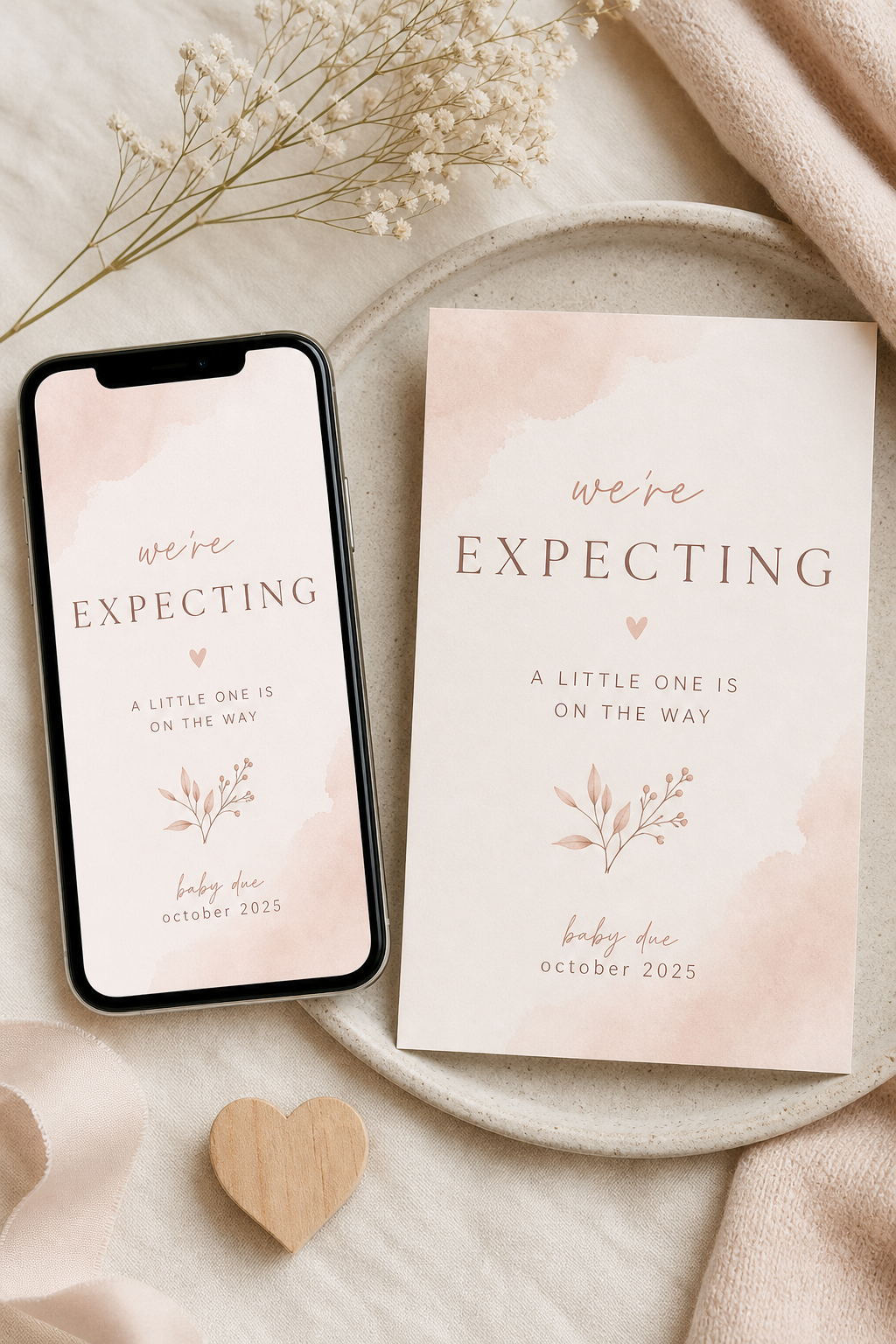
Keep medical information private. Due months are enough for most announcements. If you are not sharing the gender, choose gender-neutral colours and wording from the start so you are not redesigning later under pressure. Soft blush, cream, sage, and sky tones all read gently without forcing a theme.
Formats that work on every screen
Create a square version for feeds and a vertical version for stories. Export PNG at high quality. Send a test to yourself and open it on both light and dark phone themes. Soft blush, cream, and sage designs tend to stay readable in busy chat threads where compression can dull contrast.
For email, attach the PNG and also paste a short plain-text version of the news in the body. Some older relatives open mail on computers where images load slowly; the text ensures the message still arrives with warmth.
Announcement design should feel like a deep breath — clear, gentle, and true.
Social posting without losing the intimacy
If you share on Instagram or Facebook, consider a close-friends list or a temporary story before a permanent feed post. Turn off location tags. Decide in advance whether comments are welcome, and ask a trusted person to help moderate if the attention feels overwhelming. You are allowed to protect the quiet even while celebrating.
After the first trimester buzz settles, milestone cards can continue the visual story through the first year. Using a related style language from your announcement to your milestone set makes the journey feel collected rather than random. Eden Delight’s digital pregnancy announcement templates are built for that soft, shareable first reveal — edit in minutes, send with care, and keep the moment centred on love rather than performance.
Some parents also prepare a second, slightly different version for workplace colleagues — warmer than a formal memo, quieter than a social post. Keep personal photos off that version if you prefer privacy at work, and lead with a simple sentence of news plus gratitude for understanding around appointments. One template, two exports, and everyone receives the news in the tone that fits the relationship.
Above all, give yourself permission to move slowly. Digital tools make sending easy, but ease should never rush you past readiness. When the design, the wording, and the timing finally feel right, press send knowing the announcement will travel with the same gentleness you put into creating it. That patience is part of welcoming this new chapter with care and calm.