Business · 5 min read · 5 June 2026
Freelance Invoice Template Tips That Get You Paid Faster
What belongs on a Canva invoice, how to keep branding professional, and the payment wording that reduces awkward follow-ups.
Invoices are not only accounting documents. They are part of your client experience. A clear, branded invoice reduces confusion, speeds payment, and signals that you run a real practice — even if you are a team of one working from a kitchen table. Clients pay faster when they do not have to hunt for totals, due dates, or bank details.
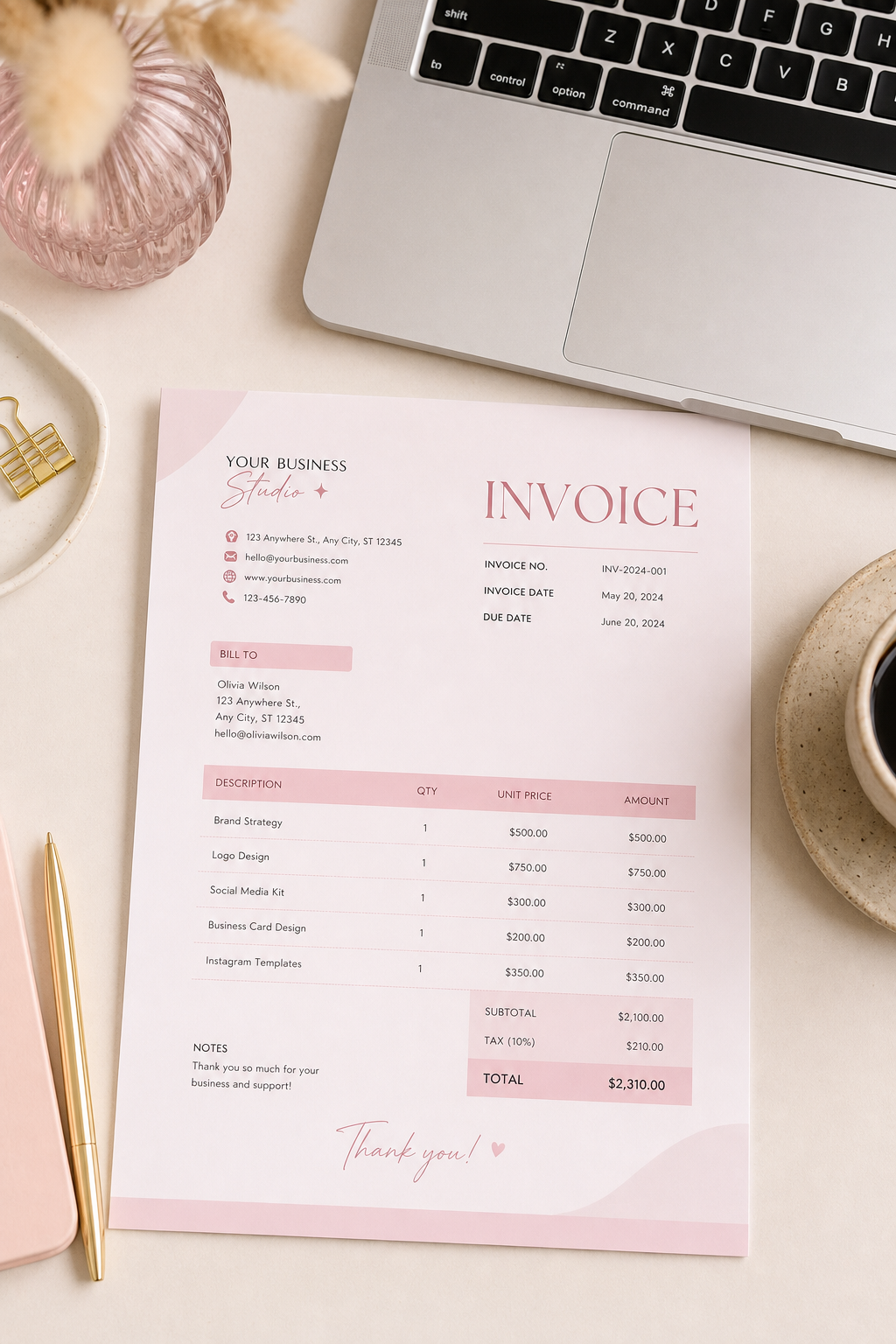
A soft pink Canva invoice can look every bit as professional as a plain spreadsheet when the information architecture is strong. Pretty is optional. Clarity is not. Think of your template as a reusable system: edit the project details, leave the structure alone, export, send, and move on with your day.
Before redesigning anything decorative, audit one recent invoice that caused a delay. Was the due date missing? Was the payment link buried? Was the filename confusing? Fix those friction points first; colour can wait.
The fields that must appear
- Your business or trading name and contact email
- Client name and project reference
- Unique invoice number and issue date
- Due date and payment terms
- Line items with quantities and amounts
- Subtotal, tax if applicable, and total due
- Payment instructions (bank, link, or method)
Missing any of these invites back-and-forth. Every extra email delays money in the bank. Build them into your template once so every future invoice inherits the structure. Number invoices sequentially and keep a simple log — spreadsheet or notebook — so you never reuse a number when two projects finish in the same week.
Wording that keeps things human
Use plain payment language: “Payment due within 14 days of invoice date.” If you charge a late fee, state it calmly on the template rather than inventing policy later. Add a short thank-you line — clients notice courtesy, and courtesy costs nothing. Avoid apologetic phrasing that undermines the professionalism of the document; you are requesting payment for work already delivered, not asking for a favour.
When a payment is late, send a polite reminder that restates the invoice number, amount, and due date, and attach the PDF again. Many delays are simple: the first email was buried. A clear second send often resolves the issue without awkward tension.
The fastest invoices are boring in the best way: complete, scannable, and impossible to misunderstand.
Branding without clutter
Limit colours to your brand palette. Keep one logo mark. Avoid decorative elements that compete with numbers. Export as PDF with a clear filename such as Invoice-041-ClientName.pdf. Do not send an editable Canva link unless the client is reviewing a draft; final invoices should be fixed documents that cannot be accidentally altered.
Pair invoices with a proposal kit for new work so pricing expectations are set before you begin. When proposals, contracts summaries, and invoices share a visual family, your freelance offer feels coherent. Clients trust systems they recognise. Eden Delight’s pink invoice form is a friendly starting point — edit the fields, lock the structure, and get back to the work clients actually hired you for.
A quarterly template review
Review your template every quarter. As your services evolve, update line-item examples and payment methods. Add new tax notes if regulations change. Remove payment options you no longer use so clients are never confused by outdated links. A living template stays useful; a neglected one slowly creates admin friction you no longer notice until cash flow tightens.
Finally, send invoices the same day a milestone is approved whenever possible. Momentum matters. A polished template waiting in Canva makes same-day billing realistic, and same-day billing is one of the simplest habits for getting paid faster without chasing anyone.
If you invoice internationally, state the currency clearly next to the total and note any transfer fees the client should expect. Ambiguity about currency is a common cause of underpayment and awkward follow-ups. One precise line on the template prevents that entire confusing thread.
Treat invoicing as a closing ritual for each project phase. When the PDF looks professional, the numbers are complete, and the payment path is obvious, you reclaim hours that used to disappear into admin confusion — and you get paid for the creative work you actually want to do. Clear paperwork is part of professional kindness on both sides of the deal.